How to Request a Solar Equipment Quote: Buyer RFQ Checklist
Check the B2B minimum before requesting a quote
pv.market handles B2B orders. The minimum order quantity for solar panels is one container. For other products, the minimum order value is USD 10,000. Check that your planned purchase meets these minimums before using Book free quote or Request for Quote.
Ask the sales team to confirm the packing quantity for the exact solar panel model; do not assume a fixed number of panels per container. For a mixed-product requirement, confirm how the minimum applies before proceeding. Confirm the supplied scope, currency, availability, freight, taxes and delivery terms in the written quotation.
Book free quote: product enquiry or detailed RFQ?
If a product page shows “Click Here to Book for Free!”, choosing it opens the “Book free quote!” contact form. It asks for your name, country calling code, phone number and email. Use contact details you monitor.
Before opening the form, note the exact model, product-page link, quantity and unit, delivery destination and required timing. Keep these ready to clarify the requirement during follow-up. Confirm the requested quantity and supplied scope with the team handling your enquiry.
Use the short contact form for an enquiry about the displayed product. For several products, or a requirement needing separate item lines, delivery details and requested commercial terms, use Request for Quote (https://pv.market/request-for-quote) and follow the three-step instructions in this guide.
Opening either form does not submit an enquiry. After choosing Submit, look for confirmation before assuming the request was received. If confirmation is unclear, contact pv.market support (https://pv.market/contact-us) with the product link and the time of your attempt before resubmitting. A request is not an order or stock reservation. Confirm availability, the full price, delivery costs and agreed terms in the quotation before committing.
How to use the updated RFQ form
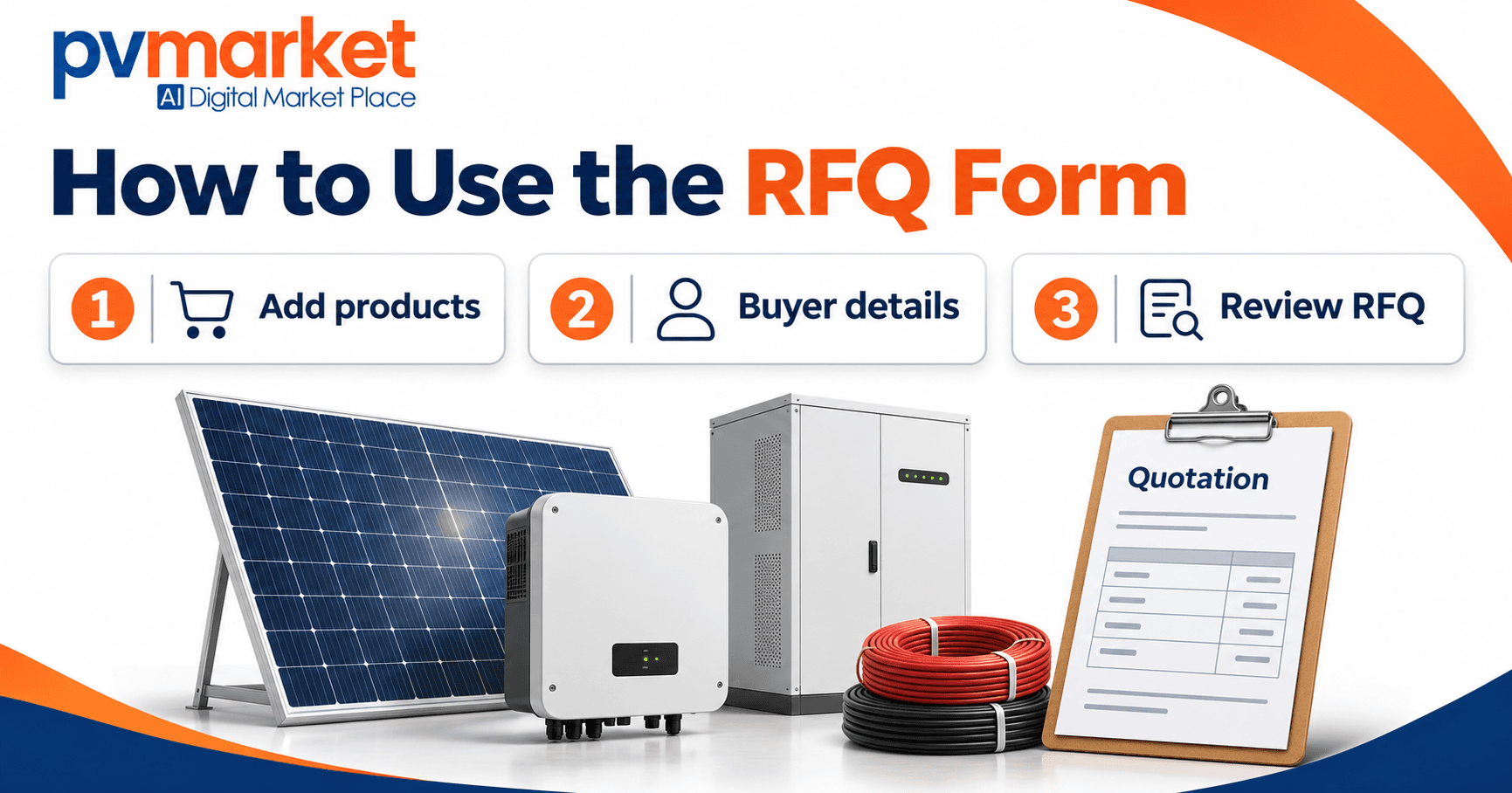
The form has three steps: Add products, Buyer details and Review RFQ. No account registration is required.
Step 1: Add products and delivery details
Select a category and subcategory. Choose a preferred brand and model if known, or leave No specific model preference selected. Choose Other model / enter requirements to describe a custom specification. Enter the quantity and check its unit.
Under Add another product to this RFQ, choose Solar panels, Inverters, Batteries / ESS, BOS or Other to add a separate line. Duplicate item copies a similar requirement; Remove item removes an unwanted line.
Select Country of delivery and review Incoterms. Open Additional details (optional) for the destination port / city, delivery date, payment terms, target currency, Quote needed by and Additional requirements / notes. Choose Continue to buyer details.
Step 2: Enter buyer details
Enter Contact person, Email and Phone / WhatsApp, selecting the country calling code separately. Add Company name and review Buyer type where applicable. Use contact details you monitor, then choose Review combined RFQ.
Step 3: Review the combined RFQ
Check Product line items, Buyer information and Delivery & commercial terms. Use Edit items, Edit buyer or Edit delivery to return to the relevant section. Check every quantity, unit, delivery destination and requested term before choosing Submit RFQ.
The page states that an RFQ reference is assigned after successful submission and describes a PDF copy. Save the confirmation reference and any PDF download offered after success. If confirmation does not appear, check with the trade desk before resubmitting. An RFQ is an enquiry, not an order or stock reservation.
Buyer preparation checklist
Download a category RFQ brief (plain text, about 3 KB each, Google Drive):
Open a brief and use the Download button to save your own copy. Replace bracketed prompts and mark unknown details as Pending confirmation. These blank templates do not submit an enquiry or place an order.
For hybrid inverter and battery requests, use the hybrid inverter and battery RFQ checklist to prepare power, energy, backup needs and compatibility evidence. A useful solar equipment request for quotation (RFQ) identifies what you need, how much you need and where it must be delivered. Prepare the exact model or required specification, a quantity and unit for each item, your delivery destination and your contact details before completing the pv.market RFQ form.
1. Prepare your buyer and delivery details
Prepare your contact name, business email, phone number and delivery country. Add your company name and select the buyer type that fits your enquiry. Follow the required-field indicators on the live RFQ form, and use contact details you monitor so the team can clarify specifications.
2. Give each requested item its own line
Select a category and then a subcategory. Add the brand and exact model when known. Under Add another product to this RFQ, choose a category to add another model or product type rather than combining different products under one quantity.
You can review solar panels, inverters, energy storage systems and balance-of-system components before preparing your request. If you are referring to a particular offer, include its page link in your notes.
If the model is not yet decided, state the requirements you do know and identify anything still to be confirmed. For example:
- Solar panels: requested power rating, module type and any size or project constraints.
- Inverters: intended on-grid, off-grid or hybrid application, rated power, phase and voltage requirements.
- Energy storage: required energy capacity, power requirement and the equipment it needs to work with.
- BOS: component type, dimensions or rating, and the equipment it must match.
State whether equivalent alternatives may be quoted. Ask for the proposed model and supporting documents so your project team can review suitability before ordering.
3. State the quantity and unit together
The form offers pcs, pallets and containers. Check the unit on every item. Two pallets of panels and three pieces of equipment are separate requirements; they are not a single quantity of five comparable units.
When requesting pallets or containers, ask the supplier to confirm the model-specific packing quantity. Do not assume the same number of pieces fits every pallet or container. If you only know the required number of pieces, state that number clearly.
4. Add timing and commercial preferences
Open Additional details (optional) to enter your destination port or city, required delivery date, quote-needed-by date and target currency. Keep the quotation deadline separate from the date you need the equipment delivered.
Review the preselected Incoterms and payment fields. Choose your requested arrangement and use the notes to explain anything that needs discussion. A form selection is a request; confirm the final scope, price, availability, payment and delivery terms in the quotation before committing to an order.
5. List the documents and conditions you need checked
Use Additional requirements / notes for required datasheets, certificates, warranty information, packaging details, partial-shipment preferences or project-specific requirements. Identify the exact model and applicable project requirement rather than assuming every product carries the same documents or approvals.
The current RFQ form has no document-upload field. Describe the documents you need to share in the notes and agree a suitable sharing method with the team handling your enquiry.
6. Review before submitting
- Check the company, contact email and delivery country.
- Check every model or specification, quantity and unit.
- Make unresolved specifications and acceptable alternatives explicit.
- Check the destination, dates, currency and requested terms.
- Include document requirements and any relevant product-page links.
Common buyer questions
Can I request several product types together?
Yes. Under Add another product to this RFQ, choose the category for each additional line. Keep each product or model separate, with its own subcategory, quantity and unit.
What if I do not know the exact model?
Leave No specific model preference selected, or choose Other model / enter requirements to describe the required specification. Explain the application and unresolved details in Additional requirements / notes, and state whether alternatives may be proposed for review.
Does an RFQ confirm stock or a final price?
Treat the RFQ as your request for a quotation. Confirm stock, the exact supplied model, price and agreed terms in the resulting quotation before ordering.
Ready to request your quote?
Complete the pv.market RFQ form with your item list and delivery requirements.
Continue with the buyer guides
Use these guides for the steps around your quotation request: account registration, comparing received quotations, checking exact models and documents, and following up on an order or delivery.
Supplier quotation comparison guide
Exact-model and document checklist
Order and delivery follow-up guide
Need more help? Browse all buyer FAQs for account registration, quotations and ordering guidance.
For order updates or delivery discrepancies, contact pv.market support first. Include your order or quotation reference and a clear description of the issue.
Prepare a line-item BOS enquiry
Return to your market RFQ
Comparing bulk solar module offers for UAE delivery
For a UAE delivery requirement, start with the solar module listings and request quotations against one model-specific requirement. State the UAE port, city or site, quantity and unit, quotation deadline and required delivery date. Ask for the packing count for the exact module and the delivery term with its named location.
Use the supplier quotation comparison guide above to compare written offers. Keep freight, insurance, handling, taxes and duties marked included, excluded or pending. Confirm dated stock and dispatch evidence separately: a listing or general directory description does not confirm allocated stock, a complete delivered price or a guaranteed arrival date. Have the relevant specialist confirm project and destination requirements.
Use the UAE RFQ link above to describe the requirement. Confirm final availability, supplied scope and commercial terms in the quotation before an order decision. An RFQ is an enquiry, not an order or stock reservation.
Leave a Comment
Comments
No comments yet. Be the first to comment!